Pavtube MXF MultiMixer is an all-round tool integrating MXF converter, MXF multi audio track/channel preserver and mixer. It can import and export MXF video files with multiple audio tracks/channels as well as mixing the multiple audio tracks into one. It also helps convert MXF video files to video formats supported by iDevices, Android devices, Windows devices, HD media players, game consoles, as well as outputting formats for editing programs.
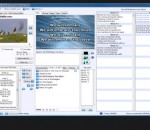
Worship Him Power Edition is an application that you can use to make video presentations for the church using a maximum of five projectors. The program supports video playback, video backgrounds, and transitions. Send messages in alternate languages, make announcements, search a passage in the Bible and include it all in your presentation!
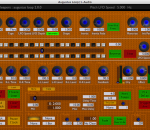
inTone | Matrix turns your computer into a powerful effect processor, handling up to 32 independent audio channels. It can be connected to auxes and inserts of your mixing console or used as independent mixer and patchbay.
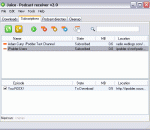
Want to listen to internet audio programs but can't when they are scheduled? This program lets you create your own custom online audio anytime, anywhere. Really. If you want to listen to podcasts, this program is for you. Juice is the premier podcast receiver, allowing users to capture and listen to podcasts anytime, anywhere.
FlashPoint Pro is a powerful PowerPoint to flash converter that help you create professional-look flash presentations and e-learning courses with PowerPoint knowledge. It will retain original PowerPoint animations, slide transitions, timings, callouts, and shapes; and preserve narration, sound. Supports PowerPoint 2010 now.
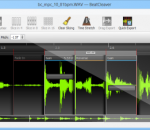
BeatCleaver is a standalone tool for quickly splitting drum loops or other audio contained in WAV files. BeatCleaver's minimalist user interface sets the focus on quickly placing and adjusting slice points. Just drag and drop a WAV into BeatCleaver, place some slice points, and export!
Volume Normalizer Master is an intuitive application, designed to help you modify the volume of various types of video and audio files, singularly or collectively. This software normalizes audio or video files by peak volume detection and RMS volume detection.
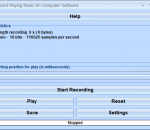
This software offers a solution to users who want to record any audio that is playing on a computer. Using this easy to use software a user can record: internet radio streams, YouTube audio and even audio from videos. There are all the usual play and record buttons and a button to save the recording. Using the settings button the user can adjust: sample rate (from 6000Hz to 44100Hz), stereo or mono, 8 or 16 bits resolution.
Augustus Loop x64 is an emulation of a tape-based delay effect, with some extra features to facilitate its use as a looping device.
Ashampoo Slideshow Studio HD 4 turns your images into vibrant slideshows with cool effects. Numerous templates, transitions and effects allow you to work creatively and achieve fast results.
One solution to all your video/audio needs. Convert,Cut,Join,Mix and apply Transitions. Supports AVI, WMV, MOV , DIVX, ASF, 3GP, MP4, MPEG1, MPEG2, VCD-PAL ,VCD-NTSC, SVCD-PAL, SVCD-NTSC, DVD-PAL, DVD-NTSC and other formats. Add a 3D transitions (70 transitions) and awesome effects (over 50 effect) between any combination of video clips, picture. It changes the frame size, frame aspect ratio, video compression codec and audio compression codec.
GOM Media Player только media player вам нужно - бесплатно! Не только GOM Media Player бесплатно видео плеер, с его встроенной поддержкой для всех наиболее популярных видео и медиа-проигрыватель форматов, тонн передовых функций, крайней настраиваемость, и службу Поиск кодека, GOM Media Player обязательно для выполнения всех ваших потребностей воспроизведения. Миллионы пользователей в сотнях стран GOM Media Player является одним из самых популярных видео игроков в мире. Что нового: «Touch добавленный» функция для устройств с сенсорным экраном. Добавлена функция «Окно поиска» на плейлист. (Ctrl + F) Поддерживается «HTTPS URL» для youtube или чистое радио воспроизведения. (Ctrl + U) Добавлено «Музыки коснитесь» предпочтения, связанные для воспроизведения музыкальных файлов. Повышение производительности, относящиеся к «скорость добавить & удалить» файлов на плейлист. Другие различные корректировки, исправления и изменения
RealPlayer всегда включено вам играть RealAudio (* .ra) и RealMedia (* .ram) файлов. Скачать видео с тысяч веб-сайтов с помощью только одного нажмите кнопку построить ваши собственные библиотеки видео и плейлисты играть все основные аудио и видео форматов поддержка Flash видео DVD, SVCD, VCD горения и видео записи RealPlayer для личного пользования включает аудио компакт-дисков возможностей, DVR-стиль воспроизведения буферизации, мультимедиа поиска, Интернет-радио, jukebox стиль файл библиотеки, встроенный веб-браузер, (с помощью Microsoft Internet Explorer)и возможность передачи средств массовой информации для ряда портативных устройств, в том числе Apple iPod, MP3-плееры и устройств Windows Media.
GOM является свободный медиа-проигрыватель с популярных аудио & видео кодеки встроенные. Кодек Finder GOM Player включает в себя много кодеков (XviD, DivX, FLV1, AC3, OGG, MP4, H263 и более) так что вам не нужно устанавливать кодеки отдельно для большинства видео. Для тех видео, которые требуют отдельного кодека GOM Player найдете один. Играть битые файлы AVI (запатентованная) GOM Player запатентованная технология позволяет пользователям просматривать файлы с поврежденным индексом или что еще загружаются. Мощные субтитров поддержка GOM Player поддерживает SMI, SRT, RT, SUB (с IDX) файлы субтитров. Вы можете синхронизировать видео и субтитров, даже если есть любое несоответствие. Удобный плейлист, если вы запустить видео файл и уже существует файл с похожим именем в каталоге, он будет автоматически добавлено в ваш плейлист. GOM Player имеет аналогичный формат воспроизведения M3U, PLS, ASX. Поддержка различных типов средств массовой информации вместе с различными средствами массовой информации формате например AVI, MPG, MPEG и DAT, GOM Player также поддерживает потоковое формат Windows media (WMV, ASF, ASX). Вы также можете посмотреть видео качества DVD с 5.1-канальный аудиовыход.