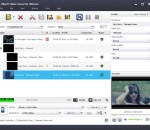
Convert video files to flash (SWF and FLV) for your web site or blog! Free Video to Flash Converter features two new players: New Maxi Player and New Multi Player. Many input formats. You can choose one of the preconfigured presets, customize any preset or create a new one using advanced Preset Editor. Free Video to Flash Converter contains no spyware or adware. It's clearly free and absolutely safe to install and run.
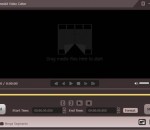
This free video cutter for Windows is a very convenient editing freeware, it can cut large videos to small pieces quickly. By using the latest video converting technology, it can export videos with the original lossless quality. After cutting videos to small pieces, the size will be reduced significantly, you can replace the original videos with the new clips to free up space or you can share the new videos scenes to your friends in a easy way.
With a simple, easy-to-master interface, powerful 64-bit performance, and high res results, ACDSee Video Studio 3 provides value-based video editing without the learning curve. Now featuring higher quality screen recording, support for still images, 3x faster recording save times, 4K rendering, a variety of creative filters, audio effects, flexible tracks that you can layer and blend, and much more
Aleesoft Free iPad Video Converter is a wonderful simple and easy iPad video converter. It can convert almost all video formats to iPad which lets you enjoy watching any video on your iPad anywhere and anytime.Convert high definition video such as HD TS, HD AVI, HD WMV, HD MOV, HD MPG, HD MKV, HD MP4 to iPad HD video. Support conversion in batches to save your time.
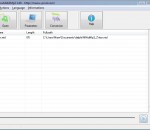
VideoInfo Express is a handy tool to retrieve metadata such as frame rate, resolution, audio and video bitrate, from a video or audio file. This software shows everything about a media file. It also has an extended analysis feature which gives much more information, such as stream infomation.
AnyMP4 iPad to PC Transfer Ultimate is the best iPad Transfer software, users can not only export iPad music, movies, TV shows, podcast, iTunes U, ringtone, ePub, PDF, audio books, camera roll, picture, voice memos, camera shot, etc. to their computer with help of. Besides, this perfect program supports any version Apple device like iPod, iPad and iPhone. Moreover, it can backup iPhone SMS and Contacts to computer without limitation.
GeniusConnect DVBLink for Outlook turns Outlook calendaring to full featured EPG guide with program types category coloring, recording management, Live/Recorded TV watching.
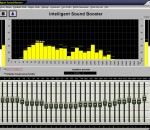
Intelligent Sound Booster correct automatically the sound quality of your MP3/wav files. The limiter takes care of the loudness your files and the booster makes a warm rounded sound. Streaming music which typically sounds flat or 'tinny' will come to life with this wonderful program! You'll fall in love and your ears will be incredibly happy. In the fullversion you can auto correct the hole audio stream.
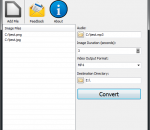
Convert your photos into videos with music. Photos to Video helps you bringing pictures together to create a video file. You just have to load pictures on its interface with the order of appearance and that is all. Adding background music is also possible. Photos to Video supports BMP, JPEG, GIF, PNG, TIFF image file formats for input format and WAV, MP3 audio file formats for background music files. Supported output formats are MP4, MOV, AVI.
AVCWare iPod nano Video Converter is an excellent video to iPod nano converting tool, which helps you to easily convert various video files like AVI, MPEG, WMV, DivX, MOV, RM, VOB to iPod nano MP4 vdieo formats, extract iPod nano MP3/M4A/WAV audios from supported video files and convert common audio files to iPod nano audios as well. Besides, more editing tools are offered to let you complete the video to iPod nano conversion in your own way.
TuneFab Screen Recorder allows you to record a custom area of your computer screen with high quality. This screen recording software is helpful in making video tutorials, recording online lectures to capturing gameplay. You can choose to record your video on the full screen, a window, or a fixed-region area at will. Besides, it can record only audio from online streaming videos, computer systems, or microphones.
GOM Media Player только media player вам нужно - бесплатно! Не только GOM Media Player бесплатно видео плеер, с его встроенной поддержкой для всех наиболее популярных видео и медиа-проигрыватель форматов, тонн передовых функций, крайней настраиваемость, и службу Поиск кодека, GOM Media Player обязательно для выполнения всех ваших потребностей воспроизведения. Миллионы пользователей в сотнях стран GOM Media Player является одним из самых популярных видео игроков в мире. Что нового: «Touch добавленный» функция для устройств с сенсорным экраном. Добавлена функция «Окно поиска» на плейлист. (Ctrl + F) Поддерживается «HTTPS URL» для youtube или чистое радио воспроизведения. (Ctrl + U) Добавлено «Музыки коснитесь» предпочтения, связанные для воспроизведения музыкальных файлов. Повышение производительности, относящиеся к «скорость добавить & удалить» файлов на плейлист. Другие различные корректировки, исправления и изменения
RealPlayer всегда включено вам играть RealAudio (* .ra) и RealMedia (* .ram) файлов. Скачать видео с тысяч веб-сайтов с помощью только одного нажмите кнопку построить ваши собственные библиотеки видео и плейлисты играть все основные аудио и видео форматов поддержка Flash видео DVD, SVCD, VCD горения и видео записи RealPlayer для личного пользования включает аудио компакт-дисков возможностей, DVR-стиль воспроизведения буферизации, мультимедиа поиска, Интернет-радио, jukebox стиль файл библиотеки, встроенный веб-браузер, (с помощью Microsoft Internet Explorer)и возможность передачи средств массовой информации для ряда портативных устройств, в том числе Apple iPod, MP3-плееры и устройств Windows Media.
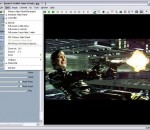
GOM является свободный медиа-проигрыватель с популярных аудио & видео кодеки встроенные. Кодек Finder GOM Player включает в себя много кодеков (XviD, DivX, FLV1, AC3, OGG, MP4, H263 и более) так что вам не нужно устанавливать кодеки отдельно для большинства видео. Для тех видео, которые требуют отдельного кодека GOM Player найдете один. Играть битые файлы AVI (запатентованная) GOM Player запатентованная технология позволяет пользователям просматривать файлы с поврежденным индексом или что еще загружаются. Мощные субтитров поддержка GOM Player поддерживает SMI, SRT, RT, SUB (с IDX) файлы субтитров. Вы можете синхронизировать видео и субтитров, даже если есть любое несоответствие. Удобный плейлист, если вы запустить видео файл и уже существует файл с похожим именем в каталоге, он будет автоматически добавлено в ваш плейлист. GOM Player имеет аналогичный формат воспроизведения M3U, PLS, ASX. Поддержка различных типов средств массовой информации вместе с различными средствами массовой информации формате например AVI, MPG, MPEG и DAT, GOM Player также поддерживает потоковое формат Windows media (WMV, ASF, ASX). Вы также можете посмотреть видео качества DVD с 5.1-канальный аудиовыход.